



Owl Drawing Robot for Kids – Smart Art Robot That Draws 200 Pictures, 8 Themes & 12 Colored Pens
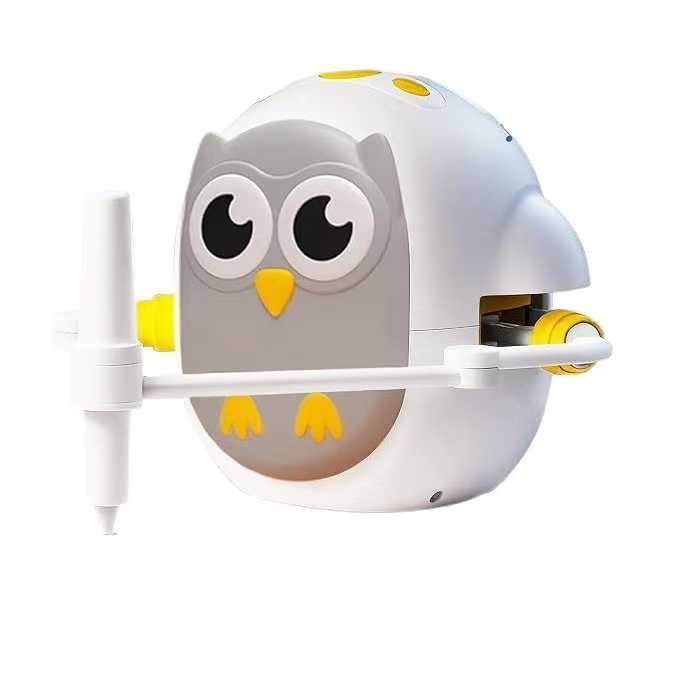
- Stock: 100
- Model: WJ-JQR-05-20261125-WH
- Weight: 953.00g
- Dimensions: 110.00cm x 110.00cm x 125.00cm
- SKU: WJ-JQR-05-20261125-WH
- Location: Children's toys


Shipping & Returns
The owl that draws.
Your kid colors.
Pick a card, slide it in, press Start. The pen lifts, the arm swings, and a picture appears line by line on plain A4 paper. When the last line lands, the paper becomes a coloring page. No screen, no app, no setup video.
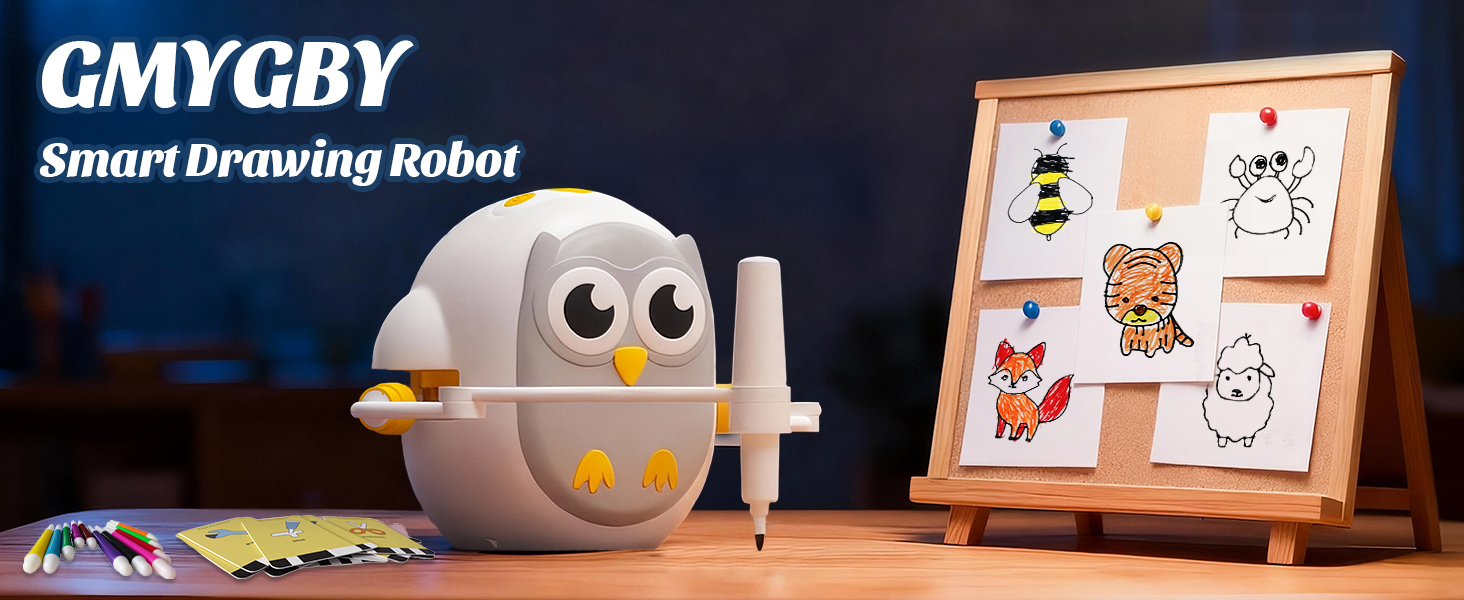 Robot on the desk, finished drawings on the cork board behind it.
200 pictures. Eight themes. No repeat for months.
The set ships with 200 double-sided cards across 8 themes — animals, sea creatures, fruit, vehicles, dinosaurs and more. The front shows the finished picture and its name, so kids know what they're getting before the pen moves. The back breaks the same drawing into four numbered steps, which is exactly what a child needs when they try it themselves later.
Theme-coded tabs let you grab "sea life" or "dinosaurs" without flipping through the whole stack, and every card is re-insertable — the same picture can be drawn again tomorrow.
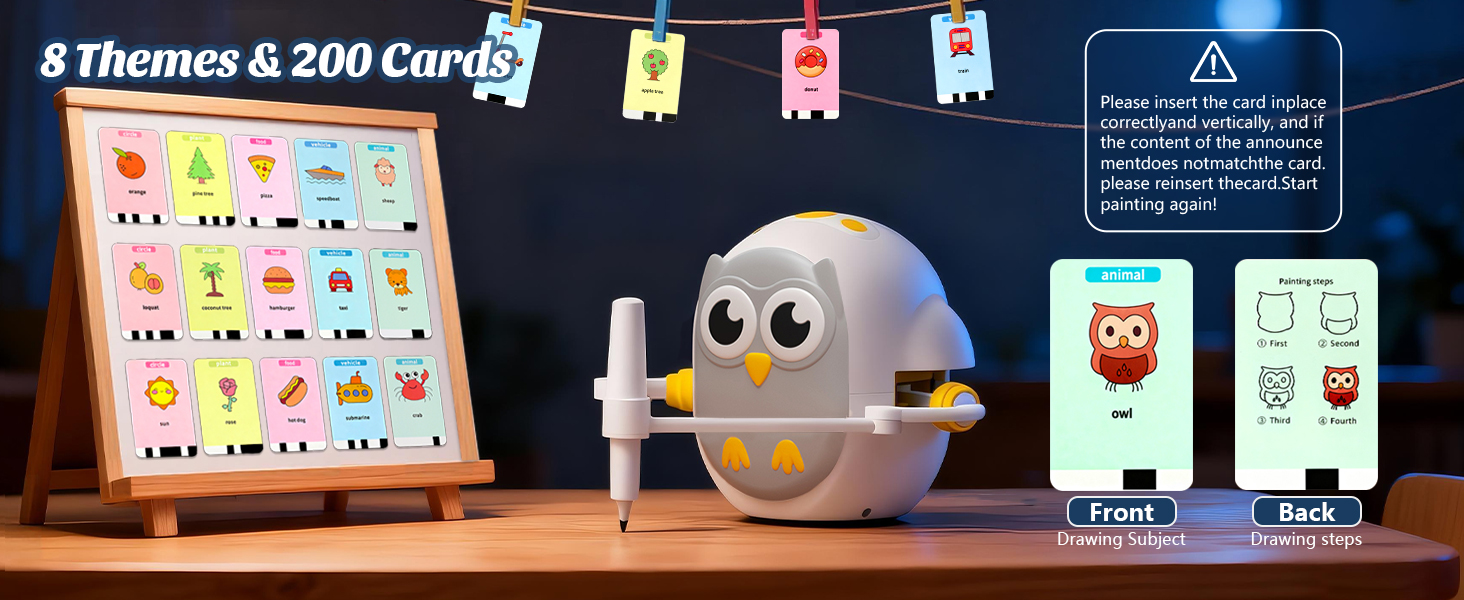 Card stand on the left, one front card and one back card on the right.
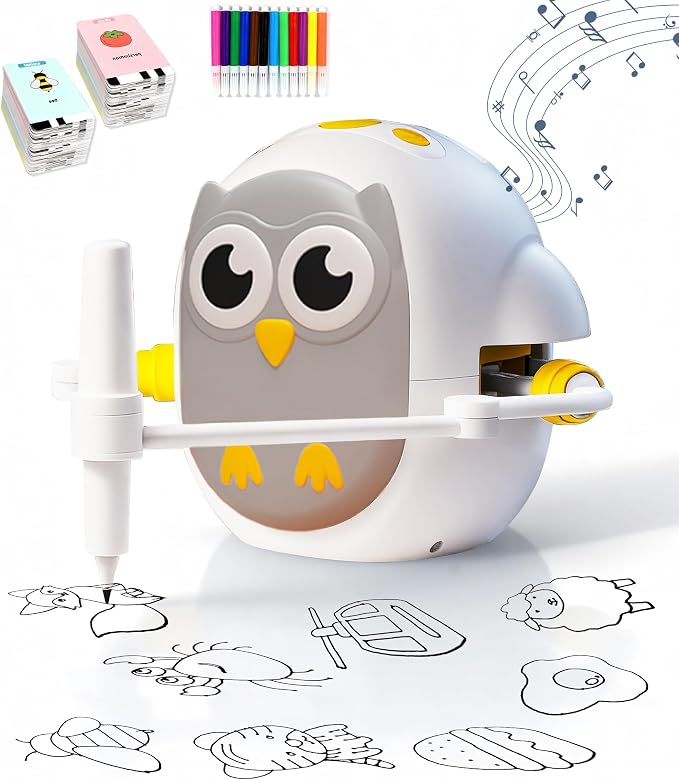 Portrait crop: robot above, finished line art and pens around it.
Line art first. Crayons second.
Most drawing toys end when the drawing ends. This one hands the page back. The robot draws clean black outlines, and 12 colored pens are already in the box — so one card covers two activities and roughly twice the sitting time.
- Clean outlines, ready to color the moment the pen stops
- 12 colored pens included — nothing extra to buy
- Kids too young to draw a tiger can still color one
Set up once. Hand it over.
Two arms click on magnetically, the buckle tightens until the body stands steady, the pen clips into the holder, and a card slides into the slot. That's the whole setup — under a minute, and simple enough that most kids want to do it themselves.
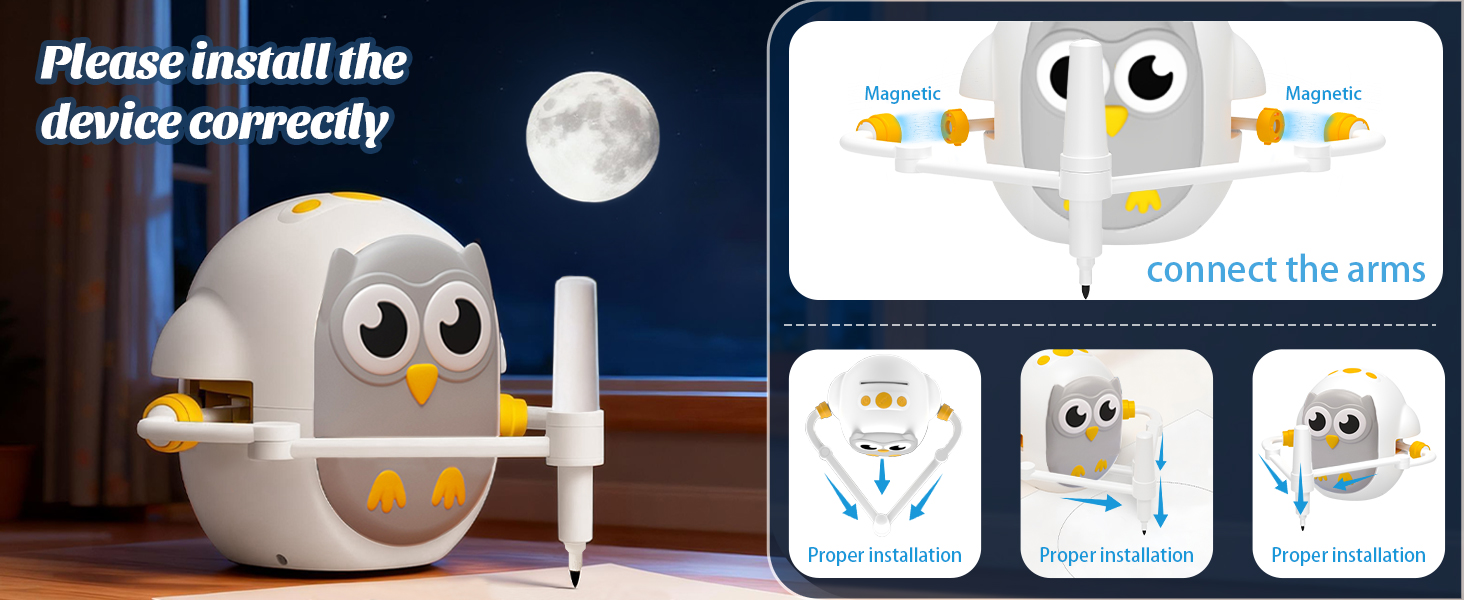 Left: robot on the paper. Right: three small install steps.
Connect the arms
The two arms click on magnetically. Tighten the buckle until the owl stands steady on the table.
Place it on A4
Set the robot on plain A4 paper with about one-third of its body above the sheet — that's the drawing area.
Clip the pen, press Start
Open the pen cap, clip the pen into the holder, slide a card into the slot and press Start.
Seven parts. Your kid can run it.
Nothing hidden, nothing to configure. Every control is on the body where a child can reach it.
Drawing card slot
Cards insert vertically on top. The robot reads the card and draws the matching picture.
Magnetic arms
Two arms click into place magnetically, then the buckle locks them steady for accurate lines.
Pen holder
Holds any included pen; height adjusts 1–2 mm for the right paper contact.
Start / Stop
Freeze the pen mid-line for a snack break, then resume exactly where it stopped.
Music / Volume
Background music on or off, with volume you can step up or down.
Power button
Press to wake the owl — it greets your child by voice before it starts drawing.
Type-C port & indicator light
Charges over the same Type-C cable as most tablets. The indicator light turns red while charging and goes out when the owl is ready to draw again — no disposable batteries, no hunting for AAs at 8 p.m.
Everything a first drawing session needs.
- Owl Drawing Robot (DW06)× 1
- Double-sided drawing cards× 200
- Colored pens× 12
- Black markers× 6
- Type-C charging cable× 1
- User manual× 1
| Model | DW06 |
| Battery | 2000mAh built-in, up to 3 hours drawing per charge |
| Charging | Type-C, with charging / low-battery indicator |
| Paper | A4 recommended |
| Placement | About 1/3 of the body above the paper |
| Controls | Power · Start/Stop · Music/Volume |
| Audio | Voice greeting + background music, adjustable volume |
| Assembly | Magnetic arms + buckle, no tools |
| Screen required | None — no app, no account |